


Building reusable AI design workflows
During my CT&D Summer Fellowship, I explored how Bunny Quest could expand into AI-assisted workflows for different types of social content.
I developed two initial directions: one for structured campaign content and another for flexible student-life content.
TIMELINE
Summer 2026
ROLE
AI Workflow Designer
Art Director
Mentor
TEAM
Kokona Akatsu
Haein Noh
Ying Chen
Vy Nguyen
TOOLS
Figma Weave
Flora
Figma
OVERVIEW
Designing a system, not one deliverable.
Bunny Quest began as a character system representing FIT’s minor programs. During the fellowship, I explored how AI workflows could help students create new campaign content while preserving the characters’ identities and visual language.
THE GOAL IS TO CREATE A WORKFLOW THAT WAS…
#1
REUSABLE
Flexible enough for multiple campaign ideas.
#2
CONSISTENT
Able to preserve the Bunny Quest character system.
#3
TEACHABLE
Clear enough for another student to understand and modify.
THE CHALLENGE
The character system was flexible, but the creation process was not.
Bunny Quest could support many content directions, but each new post still required rebuilding the process from scratch.
I wanted to understand how reusable workflows could help designers create new content while preserving each character’s visual identity and personality.
RESEARCH
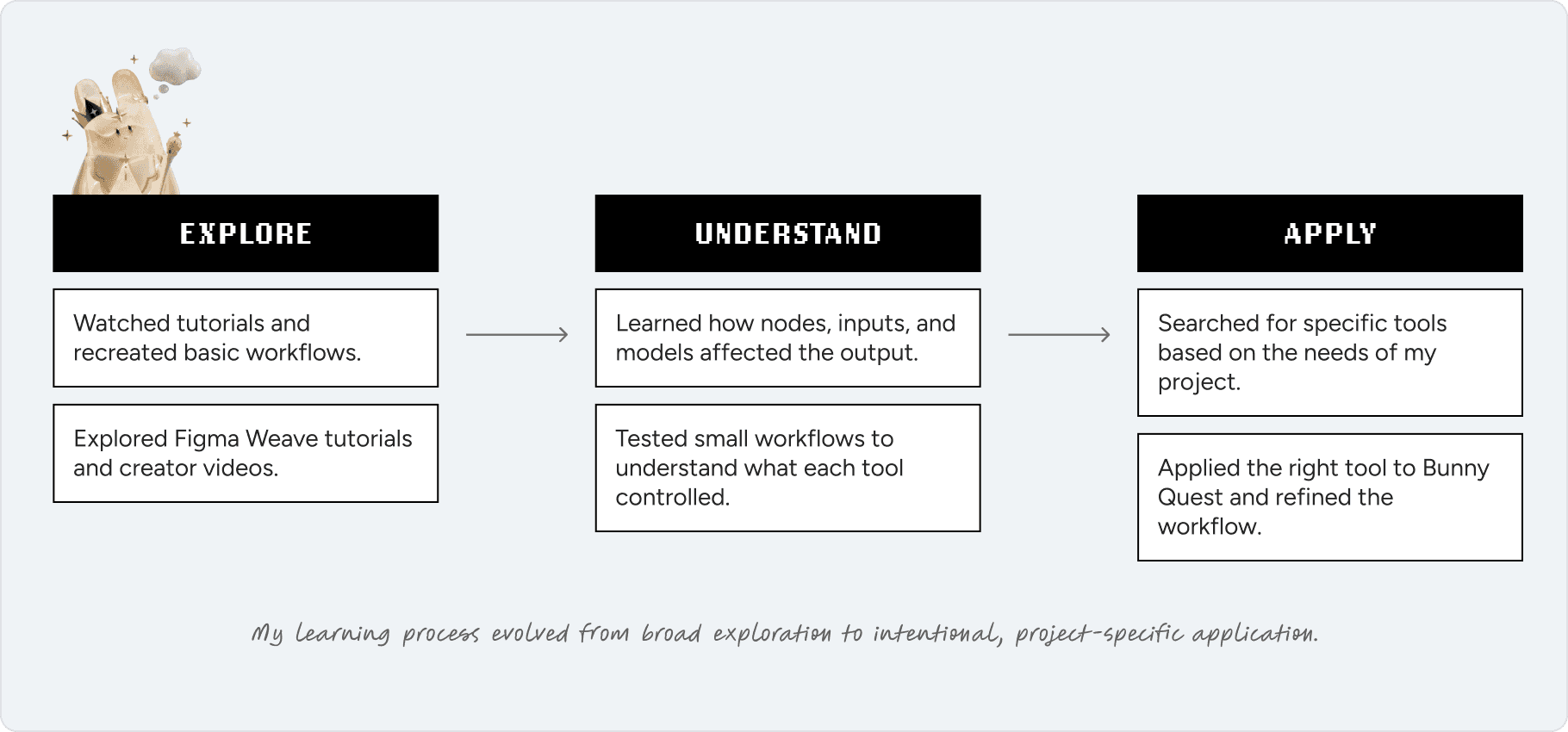
I learned Figma Weave through exploration, then applied it with intention.
Because Figma Weave was new to me, I began with general YouTube tutorials and small practice workflows, bringing what I know from other node based AI tools such as Flora.
As I became more familiar with its tools, my research became more specific. I started identifying needs within Bunny Quest, searching for relevant tools, testing them, and applying them to my workflow.
INITIAL APPROACH
I built two workflows for different content needs.
I built two reusable AI systems to expand Bunny Quest into social content and then handed both to someone besides myself to test the workflow.
CAMPAIGN CONTENT
Structured, repeatable messaging.
This workflow connected visual references, campaign messaging, image generation, and motion into one system.
STUDENT LIFE
Flexible, personality-driven content.
This workflow translated everyday student experiences into character-led posts using a lighter and more flexible content structure.
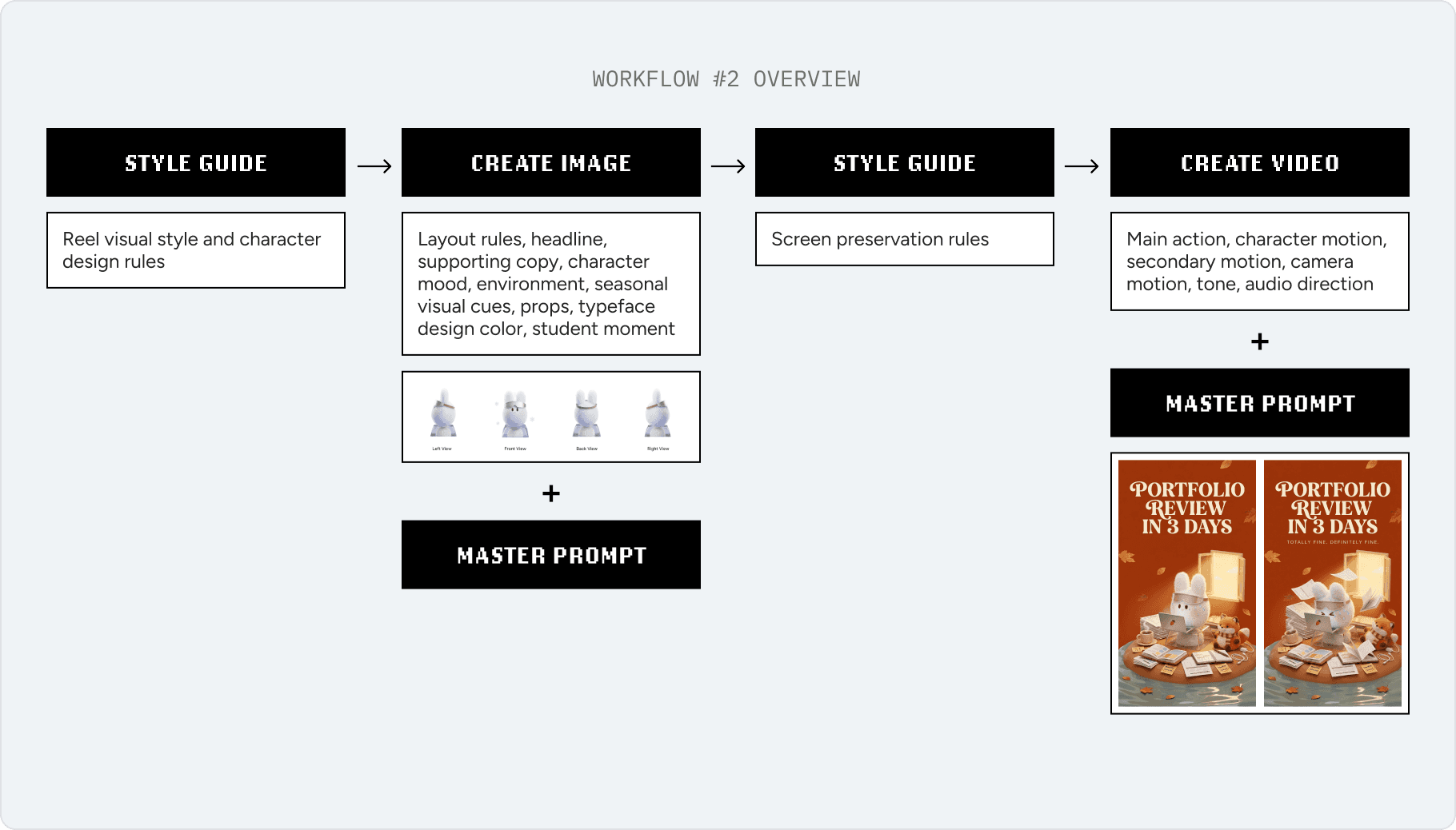
WORKFLOW DESIGN
One system, from reference to motion.
References become direction. Direction becomes composition. Composition becomes motion.

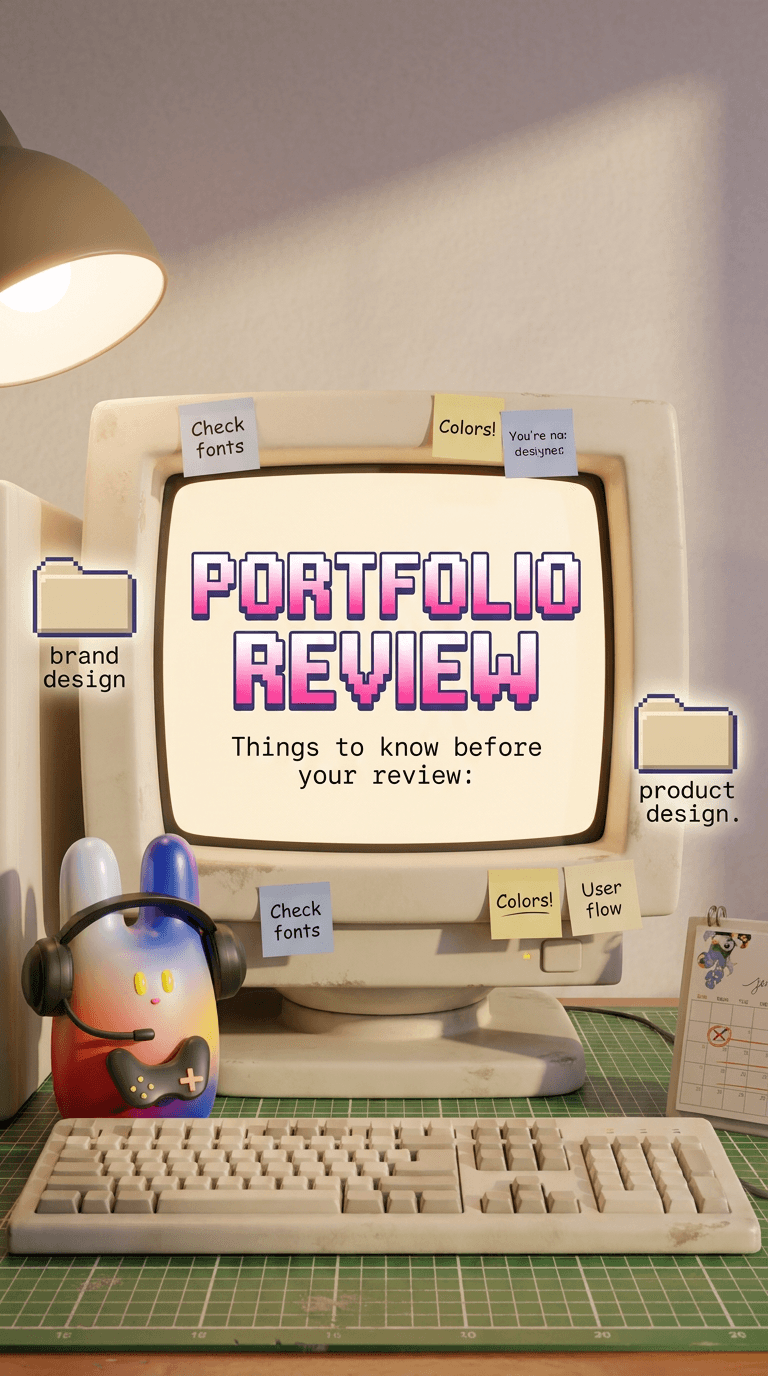
FIRST OUTPUTS
From system to screen.
I built two reusable AI systems to expand Bunny Quest into social content and then handed both to someone besides myself to test the workflow.

Then, I handed it over to someone else.
If the workflow only made sense to me, it wouldn't be considered actually reusable.
USER TESTING
Testing turned a working system into a reusable one.
I asked my mentee, Ying, to review and use both workflows with minimal guidance. I observed how she used the workflow, how she felt, and got tons of valuable feedback.
CAMPAIGN CONTENT

1
Added visual direction controls
Made environment, color, and text placement directly editable.
2
Broadened the central object
Turned the fixed computer setup into a flexible device input.
3
Made the aspect ratio editable
Removed the fixed 9:16 format so users could choose the output size.
4
Added start and end frames
Created clear visual anchors before moving into animation.

5
Clarified image-to-video path
The workflow now clearly shows which frames guide the animation.
6
Separated device actions
Intro and ongoing motion are now controlled independently.
7
Added personality
Character motion now reflects personality as well as action.
8
Improved workflow navigation
Motion stages are now grouped more clearly from frames to final video.
STUDENT LIFE

1
Editable format
Let users adapt the same workflow to different social sizes.
2
Flexible seasonal direction
Turned seasonality (e.g., autumn) into an editable input instead of a fixed prompt.

3
Clarified image-to-video path
Just like the previous workflow, this one now clearly shows which frames guide the animation.
4
Strengthened preservation rules
Made character and scene constraints more explicit.
5
Specific motion direction
Separated action, character movement, camera motion, and timing.
6
Character-specific sound
Added sound guidance that could reflect each bunny’s personality.
REFINED WORKFLOW
The workflow became more explicit, modular, and reusable.
After seeing where the original workflow created ambiguity, I separated key decisions into explicit inputs and clearer stages, making the process easier to adapt across formats, seasons, frames, and motion.
CAMPAIGN CONTENT

STUDENT LIFE

FINAL OUTCOME
One character system, multiple content directions
The revised workflows supported both polished campaign storytelling and more flexible student-life content. By separating reusable controls from fixed character rules, I could generate distinct visual directions while preserving Bunny Quest’s identity.
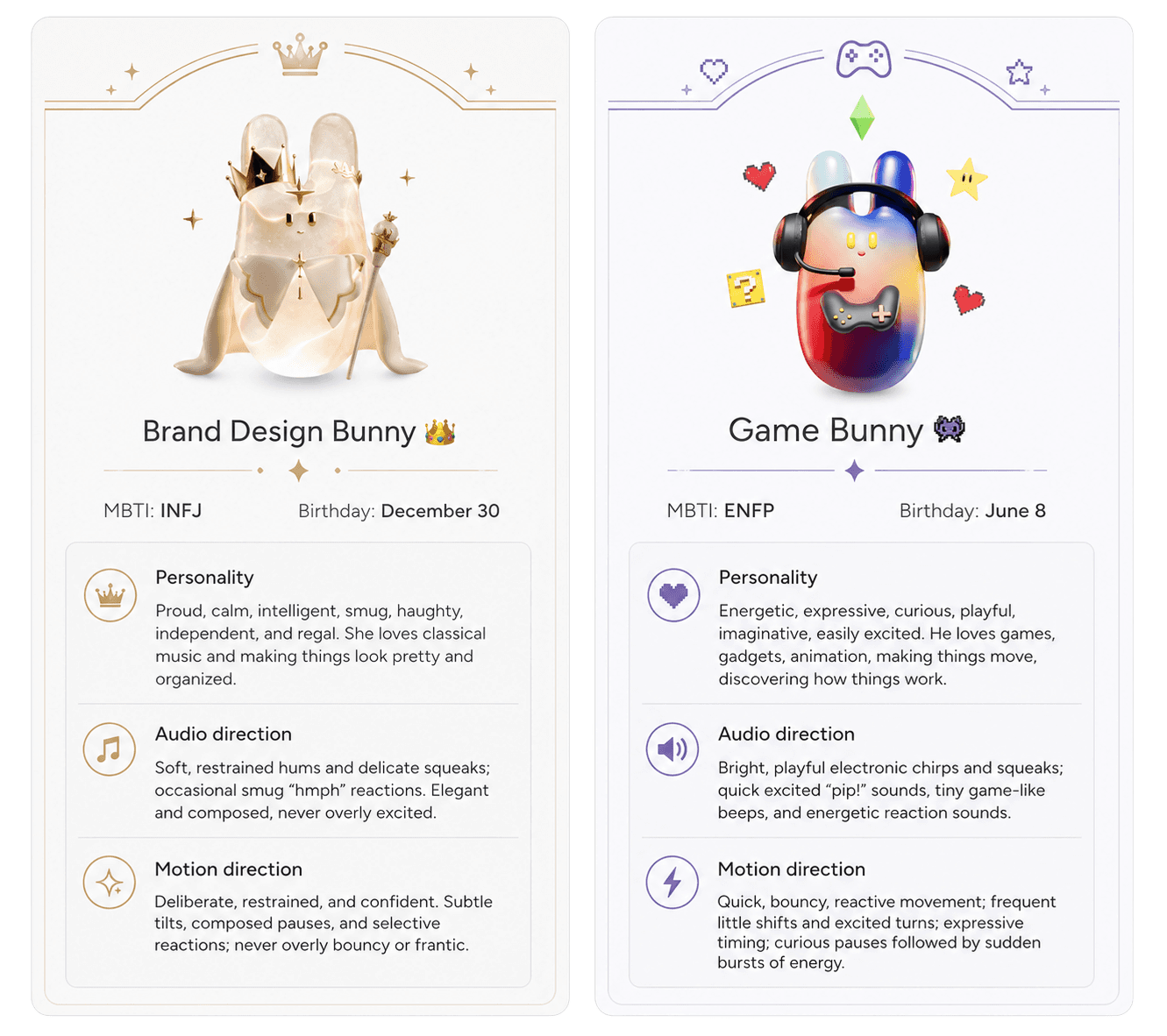
CHARACTER DIRECTION
I started directing how each character behaves, not just how they look.
Here's some examples:
WHAT'S NEXT
From Figma Weave to Instagram!
The revised workflows will be used by my professor, C.J. Yeh to create and publish Bunny Quest content on social media. This moves the project beyond a design exercise and into an ongoing content system that can be tested through real use.

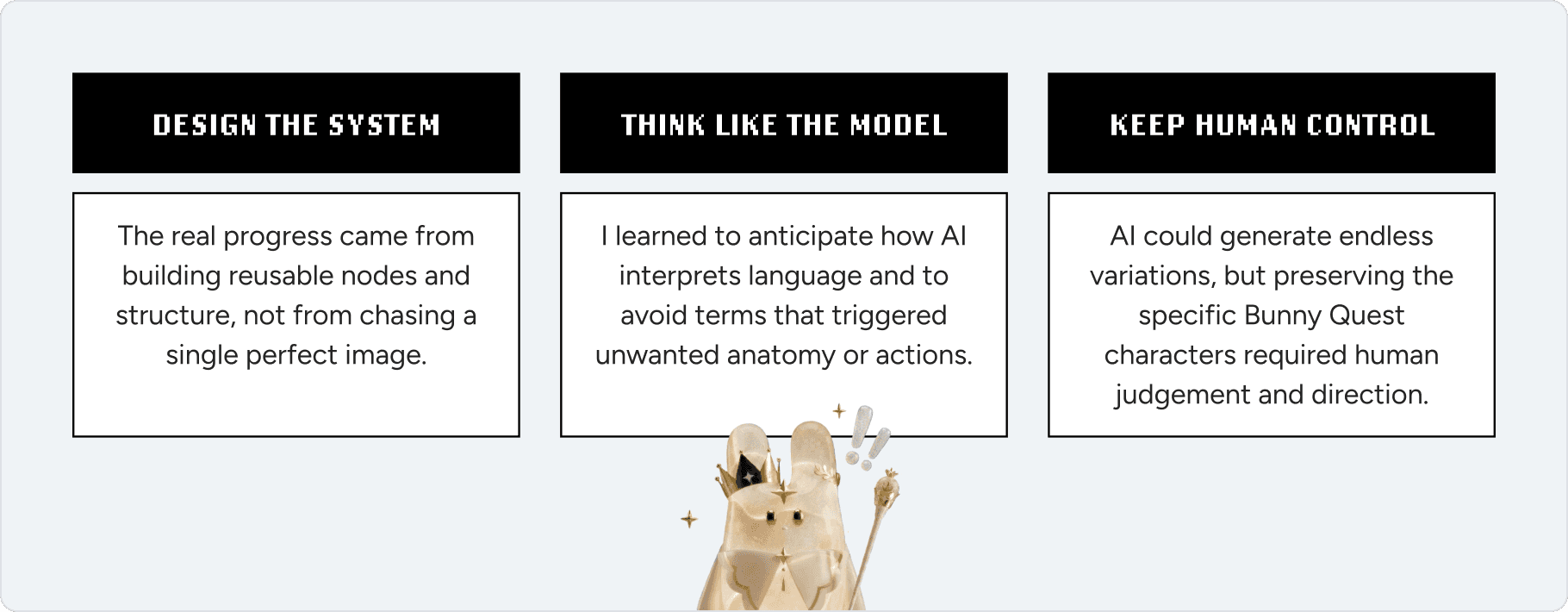
REFLECTION
Here's what I learned…
BLOOPERS
Proof that the workflow did not always work(flow).
A small archive of cursed bunnies and questionable characters, broken prompts, and several thousand credits spent learning what not to do.


Want to see more?
Want to hear more about the bunnies, the node spaghetti, and the many times AI confidently misunderstood me? I’m happy to talk through the process. Reach me at akatsukokona[at]gmail[dot]com.